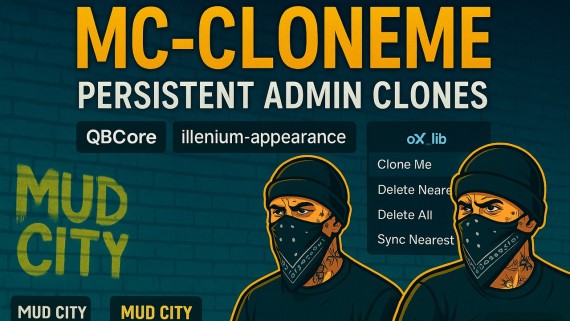
🧬 MC-CLONEME — Persistent Admin Clones for QBCore
Bring your city to life with perfect look-alike clones that survive every restart. Freeze them in place, give them a vibe (coffee, smoking, leaning), and manage everything from a clean ox_lib menu. Built for Mud City energy. ⚡
✨ Why Server Owners Love It
Pixel-Perfect Clones — Exact model + full illenium-appearance (clothes, hair, props, everything).
True Persistence — Clones survive server + script restarts (JSON by default, DB optional).
Admin-Only Safe — Respectful QBCore permission checks with per-admin clone limits.
Scenario Picker — Choose from 12+ ambient scenarios (coffee ☕, smoking 🚬, lean 🧱, clipboard 📋, phone 🎥, etc.).
Nearest-Only Sync — Update just the clone you’re next to (fast QA without touching the rest).
Perfect Placement — Height-accurate spawns so feet meet the floor (no floating, no sinking).
Zero Setup — Drag-and-drop install. Works out of the box on a standard QBCore stack.
🕹 In-Game Flow (ox_lib Menu)
/mcclone → Clone Me → pick a Scenario → done.
Also includes:
Delete Nearest, Delete All, Sync Nearest
Text commands:
/cloneme,/clonedelete,/clonedeleteall,/clonesync
🔧 Perfect Uses
Store Mannequins showing outfits or merch 🛍️
Front-desk / bouncer presence for interiors 🚪
Photo/film sets with matching doubles 🎬
Ambient life in quiet zones without heavy AI 🏙️
📦 What You Get
mc-cloneme/resource folder (production-ready)Clean client/server/shared architecture
Robust
config.lua(permissions, limits, behavior, radius, debug, custom command names)JSON persistence file auto-managed (
data/clones.json)README with quick install + troubleshooting
⚙️ Optional
oxmysqlsupport (keep JSON by default for zero-setup)
✅ Requirements
qb-coreox_libillenium-appearance(or compatible appearance resource)(Optional)
oxmysqlif you prefer DB persistence
🚀 Install (Drag & Drop)
Drop mc-cloneme into
resources/.Ensure deps start first:
qb-core,ox_lib,illenium-appearance.Add
ensure mc-clonemeto your server.cfg.Use
/mcclonein game.
That’s it. No extra config needed. 💨
🧠 Key Tech
QBCore permissions (
HasPermission) 🔐illenium-appearance wrappers for max compatibility 🎭
ox_lib context menu UI 🧩
Defensive error handling + safe defaults 🛡️
Performance-friendly local spawns 🧵
❓ FAQ
Q: Do clones wander or flee?
A: No. They’re frozen, invincible, and block panic events by default (fully configurable).
Q: Will clones survive a restart?
A: Yes—both script and server restarts. Data persists automatically.
Q: Can non-admins use it?
A: No. Access is restricted via QBCore groups you control in config.lua.
Q: Does it change my existing player appearance resources?
A: No. It reads from illenium-appearance and applies to the clone only.
🏷️ Store Blurb (Short Version)
MC-CLONEME — Admin-only, persistent clones for QBCore. Exact appearance, frozen & invincible, feet-perfect spawns, scenario picker, nearest-only sync, zero-setup JSON persistence (DB optional). Built for realistic storefronts, security vibes, and cinematic ambience. Drag-and-drop. 🧬✨
📣 Call to Action
Level up your city’s immersion with clean, persistent doubles.
Add MC-CLONEME to your server today and make Mud City feel alive. 🔥